
- SUBLIMATION OVERVIEW
- A-Z ALPHABETICAL LISTING
- WASTE INK TRAYS


- HTV BY THE METRE
- HTV CAMEO/CRICUT STRIPS
- HTV PORTRAIT STRIPS
- SIGN VINYL


- LOOSE RHINESTONES & STUDS


- RHINESTONE & RHINESTUD ALPHABETS

- INKJET PAPER DARK FABRICS
- MEMORY MAKER JEWELLERY
- SPECIAL OFFERS

|
|
OVERVIEW EQUIPMENT AND INKS SAWGRASS PRINT UTILITY SAWGRASS DESIGNER FAQ 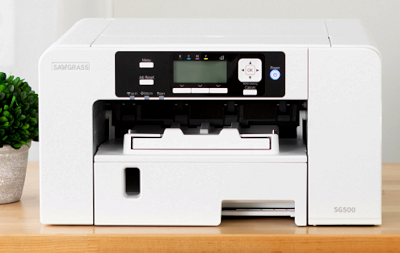 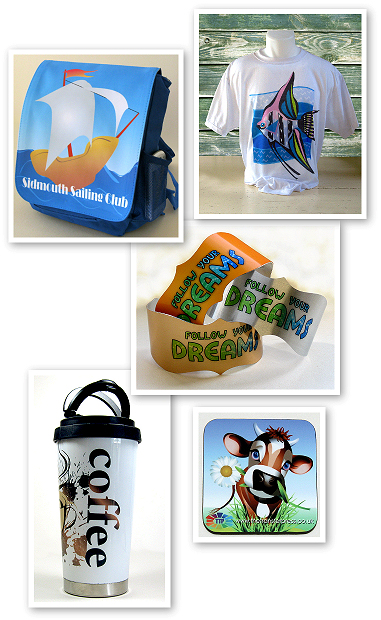 WHAT IS SUBLIMATION PRINTING?
This is the technical bit! Sublimation printing is the application of sublimation inks onto a surface using a heat press to provide the required combination of heat, time and pressure. This process causes the inks to be converted from a solid to a gaseous state enabling them to penetrate the sublimatable surface so that a permanent, full colour image is formed. The colour penetrates the surface of the item so that the result is colourful, long lasting and resistant to scratching unlike some other printing methods that merely print onto the surface of the item. Dye sublimation printing is normally done on a polyester or polyester coated item although some other polymers will accept sublimation. At high temperatures, the solid dye converts into a gas without ever becoming a liquid. The same high temperature opens the pores of the polymer and allows the gas to enter. When the temperature drops, the pores close and the gas reverts to a solid state. It has now become a part of the polymer. For this reason true dye sublimation cannot be done on natural materials such as 100% cotton. Natural fibres and non-coated materials have no "pores" to open. WHAT CAN BE SUBLIMATION PRINTED?
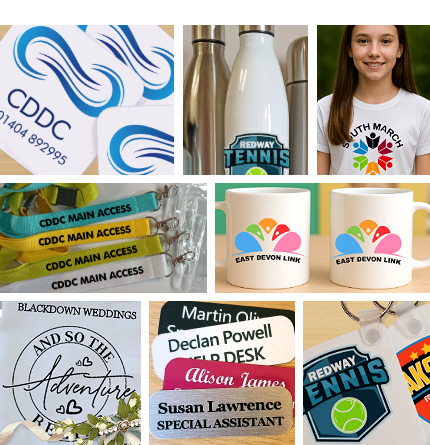
You can sublimation print onto a wide variety of items provided that the surface is suitable for sublimation printing. We offer both 'hard' and 'soft' sublimation blanks that are suitable for sublimation printing - full details of our extensive range can be found on our SUBLIMATION BLANKS pages. Hard items include specially coated plaques, signs, placemats, coasters, tiles, mugs, metal and keyrings. Soft items include polyester fabric, canvas, t-shirts, cushions, car sun screens, pillowcases and more! A sublimation print on a suitable polyester fabric is permanent, feels like part of the fabric with no 'hand' and will not crack, peel or fade. WHAT CANNOT BE SUBLIMATION PRINTED?
Cotton fabric and garments - because dye sublimation printing is always done on polyester, polymer, or polymer coated items for the reasons mentioned above. It is possible to sublimation print a cotton fabric but the image will wash out within a few washes, it will not be a permanent image in the way that it is on a 'man made' fabric. Also unsuitable are other items that have a polyester/polymer coating but are unable to withstand the temperatures required for dye sublimation printing. Additionally dark coloured items cannot be sublimation printed as the process relies on a light printable surface.
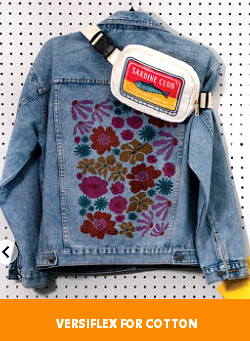
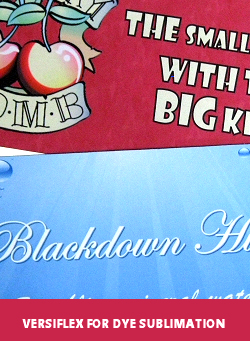
If you want to do both dye sublimation printing and printing onto cotton t-shirts have a look at the Sawgrass VersiFlex printer which allows you to do both sublimation and printing onto cotton using different papers. WHY IS SUBLIMATION BETTER THAN OTHER SYSTEMS?
The advantage of sublimation printing is that the results are permanent. The transferred images are not on the surface of the substrate - they become part of the substrate itself which means that the items are much more durable!
WHAT YOU NEED TO GET STARTED
A printer with dye sublimation inks.
Dye sublimation paper.
A suitable heat press (flat press for flat items and a mug press for round items).
Heat tape to prevent your printed transfer moving on the sublimation blank.
SUBLIMATION PRINTERS
We offer the Sawgrass Virtuoso range of inkjet printers, available in A4, A3 and 25" wide for dye sublimation printing.
This range of printers has been especially developed for dye sublimation printing and quality and reliability is second to none.
For full details on our current range of printers see -
SUBLIMATION INKS So what's special about dye sublimation inks? Dye sublimation inks are different to the usual inkjet inks that you can buy - they are a formulation of different coloured dyes suspended in liquids that will pass through a standard inkjet printer. So it could be argued that they are more dyes than ink in reality. You could put dye sublimation inks into some other inkjet printers but without a professionally made colour management system (which is custom written for each printer) you will not get vibrant pure colours. This is because the printer has it's own profiles which anticipate that you will be using the manufacturer's own ink - if you use dye sublimation inks the colours need adjusting as these inks are not identical to the manufacturer's own inks. This may sound complicated but it is really simple as Sawgrass have already done all the hard work and offer a superb colour management system. We are authorised Sawgrass distributors and only offer their range of dye sublimation inks. SUBLIMATION PAPER
If you print onto standard plain paper you would find that the ink would sink into the paper, for best sublimation printing results you need a paper that allows the ink to stay on the surface of the paper.
We recommend TruePix dye sublimation paper which is custom designed for sublimation printing, produces stunning results and is available in a wide range of sizes from precut sheets for mug printing up to 24" rolls. True Pix is the paper that Sawgrass recommend for use with their printers.
HEAT TAPE
Specially developed heat tape which can resist high temperatures under a heat press and then be removed without leaving any marks on your sublimation blank. Our very popular red heat tape can be found here!
HEAT PRESSING FLAT ITEMS
For 'flat' sublimation blanks such as plaques, coasters, tiles, garments, etc, you will need a flat bed heat press.
Full details on the range of heat presses that we offer can be found on our heat press pages. We also offer a range of alternative heat presses for specialised items like bags, caps and plates.
Please note it is not possible to obtain the consistency of heat and pressure required for the dye sublimation printing process using a home iron. HEAT PRESSING MUGS AND ROUND ITEMS For dye sublimation printing mugs of various size (including latte shapes) and round money banks you can use a mug press which is purpose designed to print around cylindrical items. 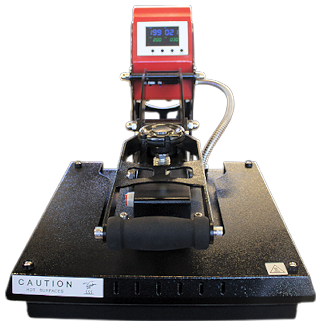 SUPPORT We believe that the support that Sawgrass offers to customers is second to none. Before you buy a printer and inks from other sources check if they offer a three year guarantee on printers and lifetime technical support should you ever need it. Sawgrass do. Once you have purchased your printer you can sign up for a free onboarding session with a Sawgrass expert to talk you through setting up your printer. The session is scheduled for one hour so you will have plenty of time to ask any questions you may have. WHICH PRINTER SHOULD I GET?
If you want to speak to us about which printer option is best for you then give us a call on 01404 892995. 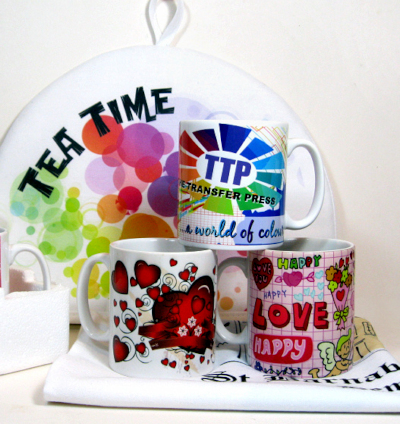 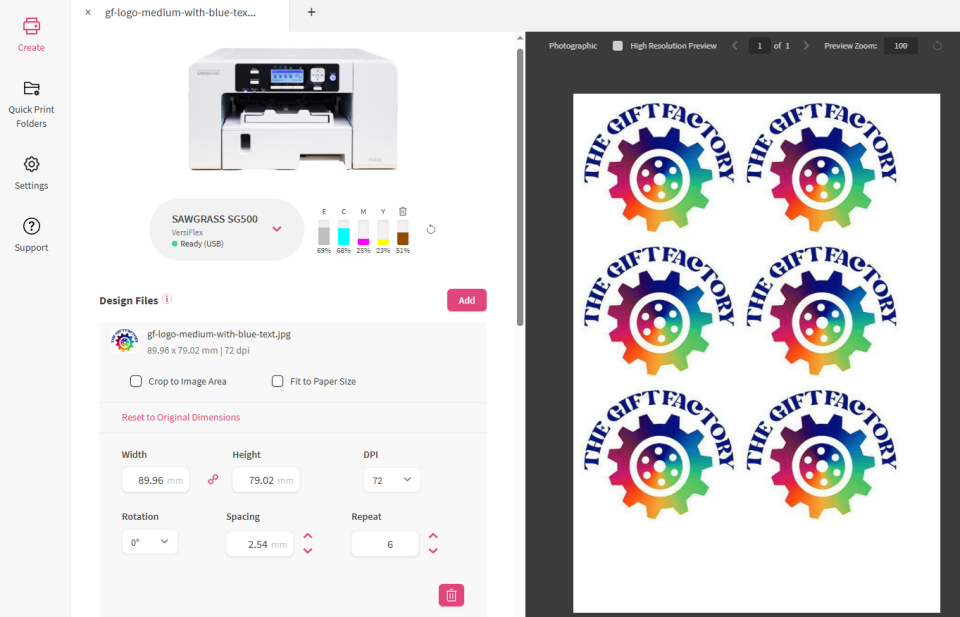 THE SAWGRASS PRINT UTILITY
Designed to harness the unrivaled efficiency of your powerful Sawgrass printer and cutting-edge software to maximise the utilisation of your paper and ink, allowing you to save money and enhance the consistency of your prints.
With Print Utility, you can be confident that each print will be a masterpiece of precision and resourcefulness.
What software can I use to print using Sawgrass Print Utility? Sawgrass Print Utility can be used in conjunction with the Sawgrass web-based design software Creative Studio. You can also print to the Sawgrass Print Utility from any program using the “Send to Sawgrass Print Utility” functionality. You will choose your settings in Sawgrass Print Utility and then choose “Send to Sawgrass Print Utility” in the print box in your program. This function works on both Windows and Mac platforms. Can I use Sawgrass Print Utility to print from CreativeStudio?
Sawgrass Print Utility was designed in conjunction with Creative Studio and you can send to Sawgrass Print Utility from that design tool. Can I enable Spot Colour Replacement in Sawgrass Print Utility?
Spot Color functionality for the SG500 and SG1000 is a new feature. There is a default swap table which can be built upon. Enabling Spot Colors gives you the ability to perform Spot Color Replacement which takes an input color value and then prints a different output color value. This can be used for improved color accuracy when printing specific color like a corporate or school color. Maximise Paper Use
Easily organize multiple prints to a single sheet. Sawgrass Smart Features
Sawgrass Print Utility simplifies precision printing with smart presets that eliminate guesswork. Just select a preset, and all your settings automatically adjust to deliver the best results for your project. Presets
Within the Print Settings there are added Presets. These Presets allow you to easily select the product you are wishing to make, this in turn will select the correct Product and Print Settings for you. While most settings are included in the Presets, you will still need to verify your Print Quality, Media Size, and Paper Type.
THE SAWGRASS PRINT UTILITY
The Sawgrass Print Utility is supplied as part of your Virtuoso or SubliJet printer package and is designed to ensure that you get the very best results from your printer.
HOW DOES IT WORK? The print utility bypasses the printer’s native driver, allowing it to control the transmission of the print file from the computer to the printer more effectively.
DO I NEED A SPECIFIC GRAPHICS OR DESIGN PACKAGE? No, you do not. The Print Manager allows for a wide range of image types which can be produced in packages such as CorelDraw, Adobe Photoshop, Adobe Illustrator or even MS Paint! Just produce your image, send to print in the print utility, select your printing options and then print!  WHERE CAN I GET HELP AND ADVICE IF I NEED IT?
All purchasers of Sawgrass Virtuoso and SubliJet printers can sign up for a free onboarding session with a Sawgrass expert to talk you through setting up your printer. The session is scheduled for one hour so you will have plenty of time to ask any questions you may have.
You can always talk to us if you need more help or advice. 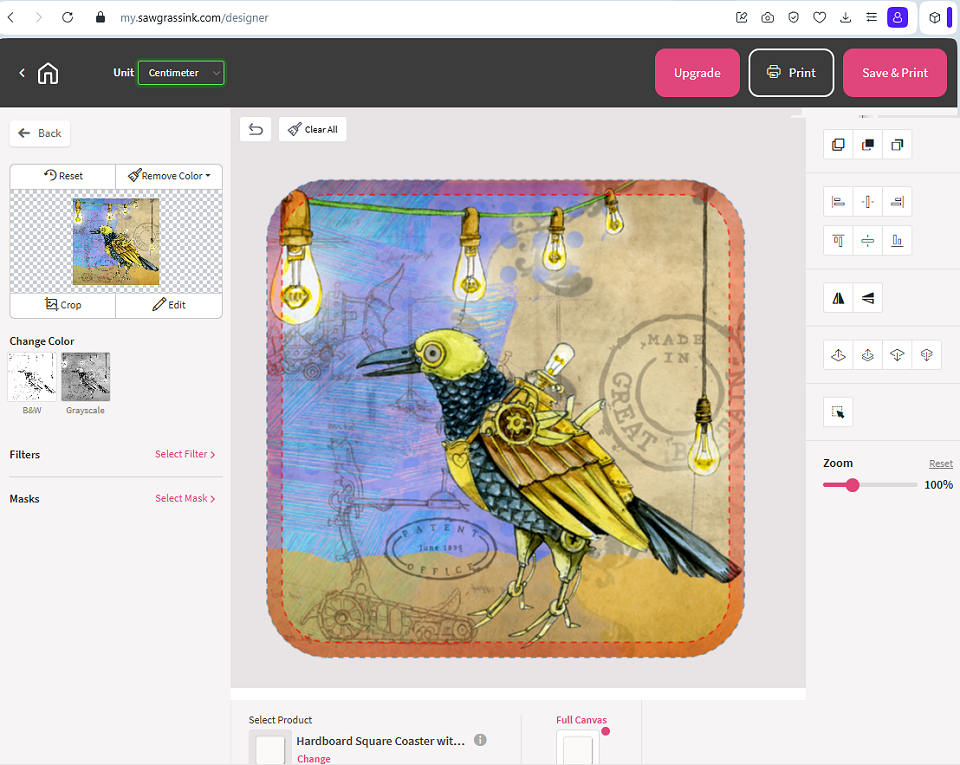 SAWGRASS DESIGNER
Sawgrass Designer is your upgraded creative companion, designed to make your design process smoother, more efficient, and more versatile. With enhanced selection layers, simplified image mask creation, expanded background functionality, and the ability to draw basic shapes, Sawgrass Designer empowers you to bring your creative visions to life with ease.
Organise and format text more effectively with the new paragraph text feature, and upgrade to Designer+ to upload your own fonts for further customisation.
Save custom canvases, upload your own templates, and use keyboard commands for basic functions to personalise your workflow and boost your productivity. With Sawgrass Designer, you're in control of your creativity.
 HOW DO I ACCESS SAWGRASS DESIGNER?
Sawgrass Designer is cloud based and available for you to use free of charge, if you wish to, as part of your Sawgrass printer purchase. 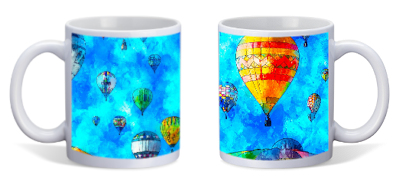 Design Mate preview CAN I GET HELP TO USE SAWGRASS DESIGNER?
Yes of course. As part of your free onboarding session you can ask the Sawgrass expert to guide you through producing and printing images using DesignMate. 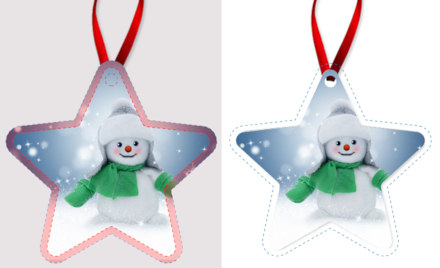 Generally dye sublimation printing and pressing should present very few problems but we suggest a read of this FAQ to give you an overview of problems that could arise and how to prevent them happening in the first place. If you still have questions then do call us on 01404 892995, use our online chat option or contact us via our sublimation contact form. DO I NEED TO WORRY ABOUT MOISTURE LEVELS IN MY SUBLIMATION BLANKS?
Yes you do need to be aware of how moisture in your sublimation blanks can affect the finished results. The introduction of moisture into the sublimation process can cause unwanted results. During production with a heat press operating at around 200°C, moisture can flash to steam and literally blow the ink away from its intended target. Some of the problems that are attributed to moisture include colour shifting (colours lose accuracy), image bleeding and the uneven transfer of solid-filled areas.Under normal circumstances, a small amount of moisture can accumulate in the transfer paper but it's usually absorbed directly into the substrate during pressing. The good news is that it is very easy to ensure that excess moisture does not cause problems, just follow the guidance below. DYE SUBLIMATION PAPER Protect your dye sublimation paper from moisture absorption particularly during colder seasons or if you work in a area with little or no heating. As a preventative measure, store your paper in a dry place in a sealed container or resealable bag. If you think your paper may have some moisture in it just lay the paper on the base of your press for a few seconds. Do not press it; just expose it to the warmth. The heat radiating from the press should help evaporate most of the moisture. HARD SUBLIMATION BLANKS Hard items such as MDF, wood and ceramics will retain moisture so it is always a good idea to give them a quick prepress to remove any excessive moisture particularly during the colder, damper seasons. 10 seconds under the heat press will usually be sufficient but if you see a lot of moisture coming out give them a little longer. Note that if you use a Teflon/PTFE cover sheet that this can push the moisture back into the sublimation blank, many of our customers find that our pressing paper is a better option. FABRIC IMPRINTABLES If you are working with garments or other fabric items it is also possible that the substrate may contain some moisture. Pre-pressing the fabric for about 10 seconds should remove the moisture, as well as any wrinkles in the fabric, so that you have a good surface to press onto. MY COLOURS ARE LIGHT/UNEVEN OR THE IMAGE APPEARS BLURRED Read through the guidelines above on moisture. Check that you printed on the correct side of the paper - for our True Pix paper the print side is the bright white side of the paper. Double check that you pressed using the proper time, temperature, and pressure. We offer suggested pressing times and temperatures for all our sublimation blanks on the respective product pages. Ensure that your substrate is designed to accept a sublimation transfer. Garments made from natural fibres such as cotton are not compatible with the sublimation process. MY PRESSED IMAGE LOOKS CLOUDY This can often be caused by moisture in the substrate you are pressing onto, particularly hard items such as MDF and ceramics. Read through the guidelines above on moisture. WHY DO I HAVE DUPLICATE VERSIONS OF MY IMAGE? This is called 'ghosting'. If the transfer paper moves on the surface of your pressed item while it is still hot from the press then an additional 'ghost' image can appear. This is easy to avoid - just make sure that your transfer paper is securely taped to your sublimation blank so that it will not move when the press is opened. Once you have removed the item from the heat press ensure that you remove the transfer paper in a quick smooth motion. Obviously protective gloves are needed! CAN I USE SUBLIMATION PRINTED SIGNS OUTDOORS? Currently most sublimation printed signs are only recommended for very short term use outdoors as the UV resistance means that the images will fade relatively quickly. The outdoor life can be extended by use of a product such as Frog Juice which adds an additional layer of UV protection. Unisub and Chromaluxe have developed a range of outdoor aluminium which offers a 5 year outside life. Details can be found on our dye sublimation blanks listing page! |